

Purpose
Give suppliers a focused external workspace for assigned relationships, purchase orders, deliveries and statements without exposing the buyer's full portal.
Real WebStore screen
What you see
Controlled demonstration data · no customer records
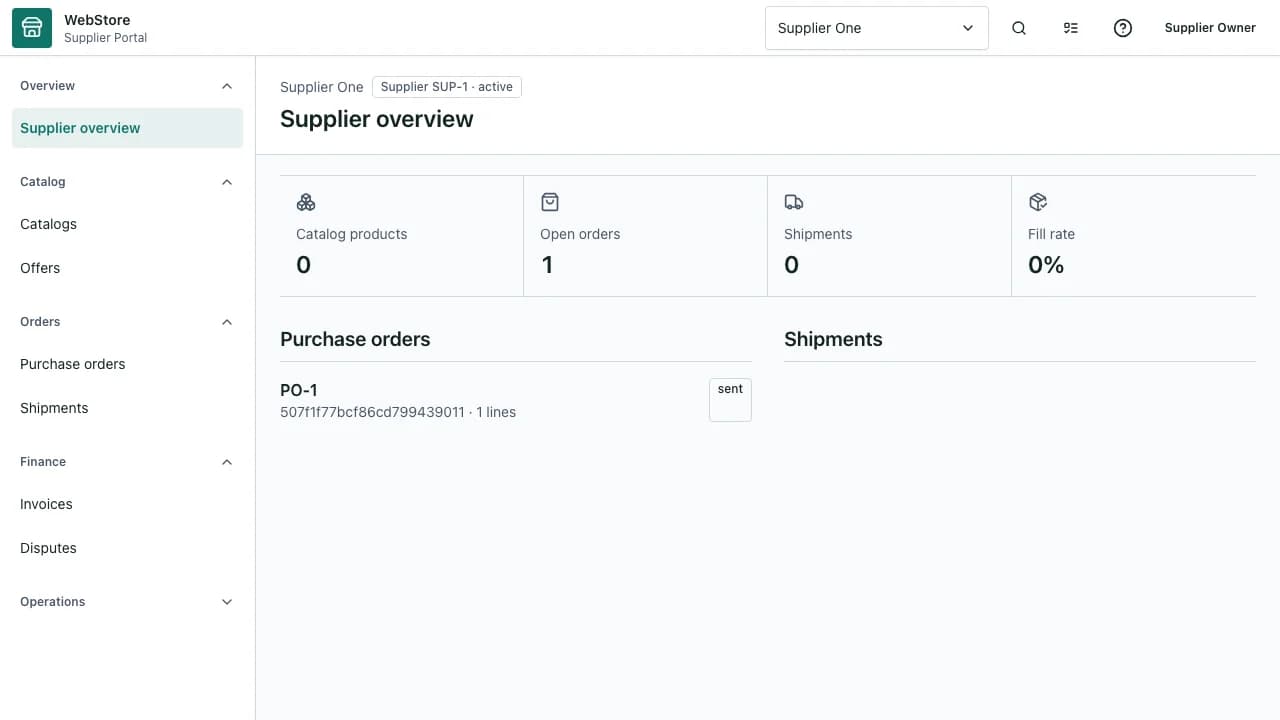
- 1Supplier identity and buyer context
- 2Assigned purchase orders
- 3Delivery and statement evidence
- Review only purchase work assigned to the supplier relationship.
- Submit controlled offers, acknowledgements and delivery evidence.
- Keep status and financial statements aligned with the buyer workflow.
Workflow
- 1
Claim or sign in to the supplier account and select the buyer context.
- 2
Review the assigned request, purchase order or required correction.
- 3
Submit the requested price, acknowledgement or evidence.
- 4
Update preparation, shipment and delivery milestones in order.
- 5
Reconcile accepted quantities, exceptions and statement entries.
Work only on assigned records
The supplier portal is intentionally narrower than the buyer's procurement workspace.
- Confirm buyer, order number and currency.
- Open only records assigned to the active supplier context.
- Use record messages for clarification rather than a separate channel.
Maintain delivery evidence
Milestones and documents explain what was promised, shipped, received and accepted.
- Acknowledge the purchase order before fulfilment.
- Attach the approved shipment and delivery references.
- Record partial or rejected quantities explicitly.
Protect commercial state
Price, currency, statement and dispute data stays inside the supplier relationship.
- Do not change an accepted offer silently.
- Use a versioned correction for quantity or price changes.
- Reconcile the supplier statement after buyer acceptance.
Permissions and boundaries
- Supplier users see only assigned tenant relationships and supplier records.
- Offer, fulfilment and statement permissions can be assigned separately.
- Buyer customer data and unrelated supplier prices remain hidden.
When it goes wrong
If an order is absent, confirm assignment and active buyer context.
If a status cannot advance, complete the required preceding acknowledgement or evidence.
If totals differ, compare accepted quantities, currency and the latest version.