

Purpose
Give clinics, dentists, salons, trainers and service businesses a clear booking journey connected to staff capacity and daily operations.
Real WebStore screen
What you see
Controlled demonstration data · no customer records
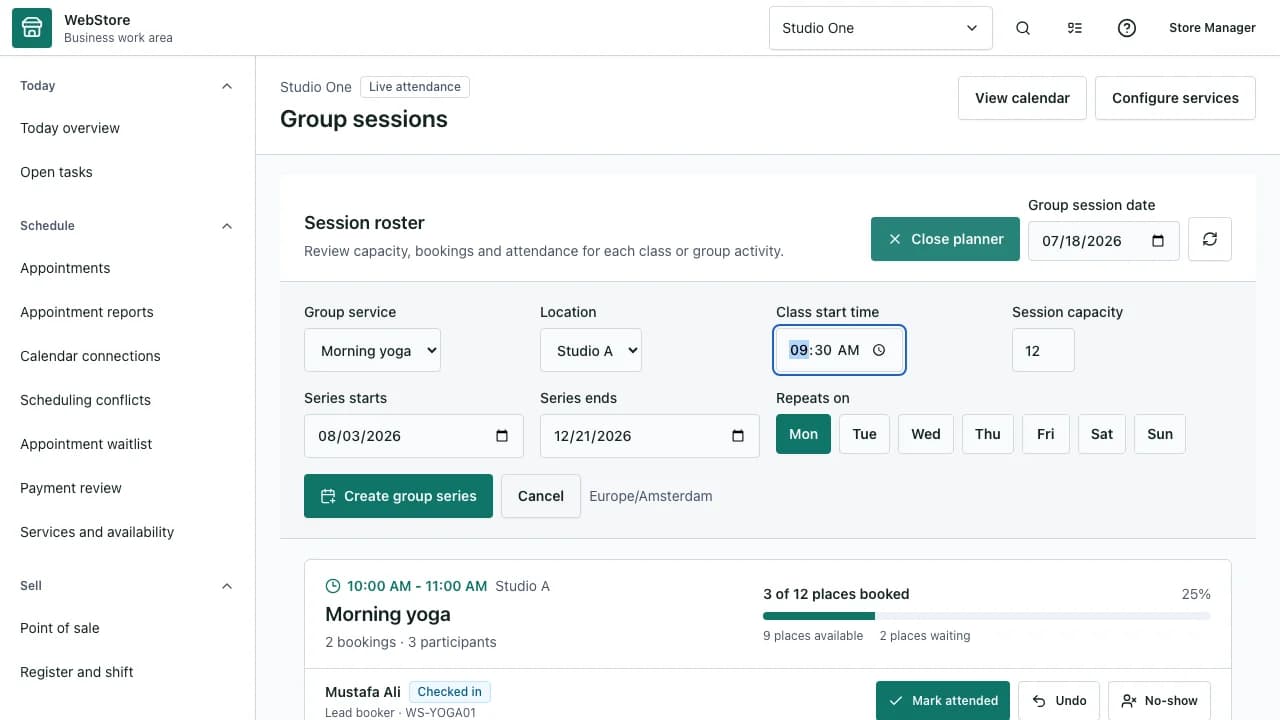
- 1Appointment views
- 2Schedule and capacity
- 3Booking actions and status
- Publish bookable services with the correct staff and location.
- Prevent conflicts across individual and group capacity.
- Track attendance, changes and follow-up from one workspace.
Workflow
- 1
Define the service, duration, location and eligible staff.
- 2
Publish recurring availability or a capacity-controlled group session.
- 3
Let the customer choose an eligible time and provide required details.
- 4
Review confirmations, conflicts, waitlist and rescheduling requests.
- 5
Record attendance, outcome and any required follow-up.
Set up a bookable service
A service becomes bookable only when duration, location, staff and availability agree.
- Use buffers when rooms or equipment need reset time.
- Collect only information needed for the appointment.
- Use group capacity for classes, sport sessions and training.
Operate the calendar
The schedule shows owned capacity, conflicts and customer status rather than a simple date list.
- Review timezone and local opening rules.
- Use waitlists when a session reaches capacity.
- Reschedule through the controlled action so notifications stay connected.
Protect practice and care workflows
Professional practices can separate booking information from restricted care or consent records.
- Assign the least-privilege role for reception and practitioners.
- Keep private notes outside public messages.
- Use audit history for status and attendance changes.
Permissions and boundaries
- Availability management, booking operations and restricted records use separate permissions.
- Customers see only public service details and their own appointments.
- Timezone conversion preserves the store's local appointment time.
When it goes wrong
If no slots appear, verify service publication, staff, location and availability overlap.
If a conflict appears, review buffers, parallel capacity and connected calendars.
If a customer misses an update, verify the appointment message channel and contact details.